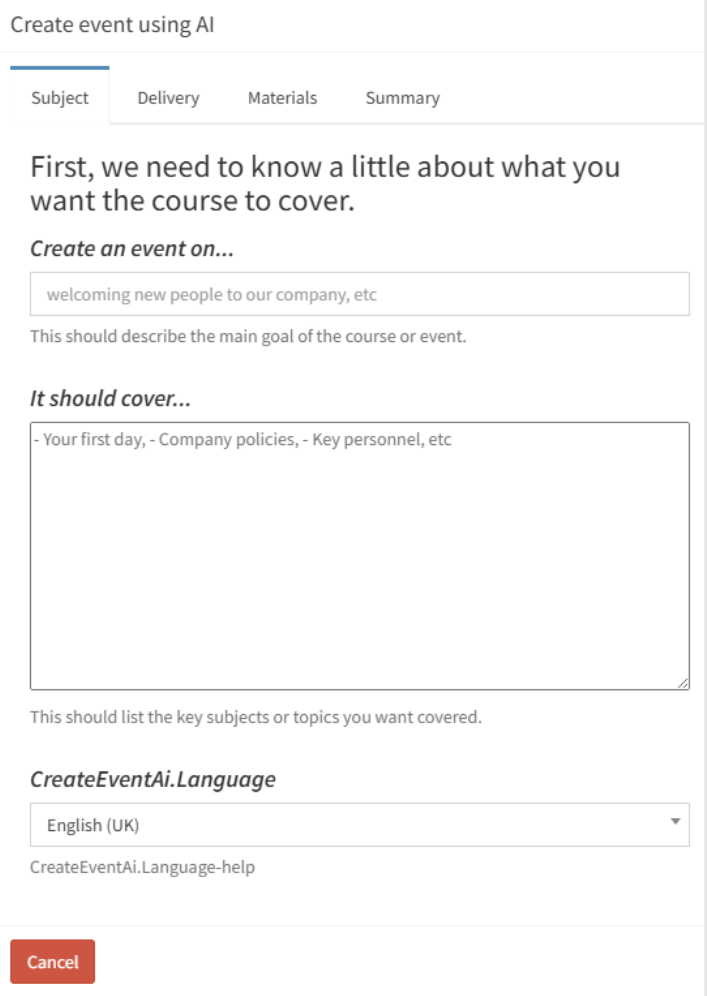
AI Event Builder
A fully structured learning workflow generated from a brief. In seconds
A workflow to guide them on their Learning Journey

Prompt AI to Create a Learning Workflow for you
The AI Event Builder is built into the vLearning Platform. Give it a topic, a delivery format, and a list of any materials you already have, and it generates a complete, sequenced learning event: units, activities, titles, descriptions, and thumbnail images, all structured according to pedagogical rules that connect training to performance at work.
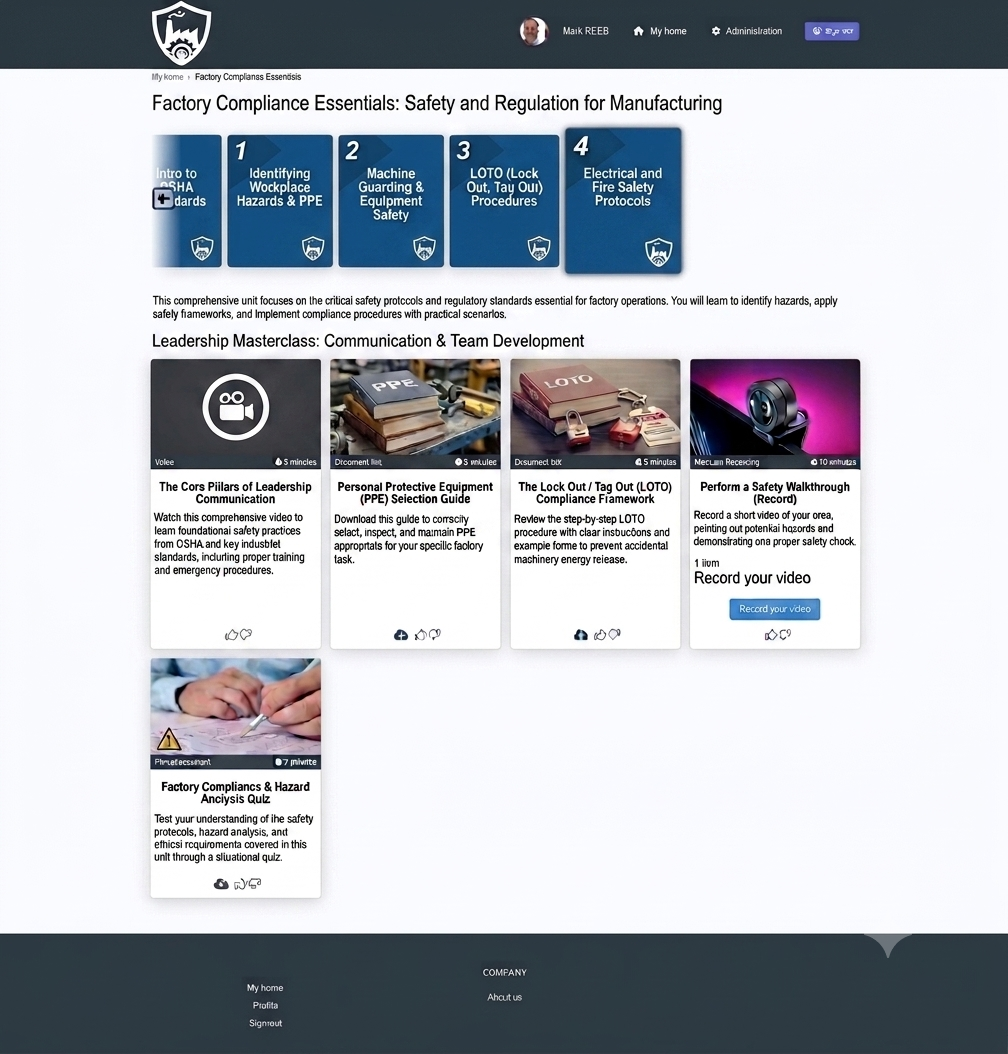
AI Generated Learner Interface Template
There is no blank canvas to stare at. No first-draft paralysis. The Builder produces a deployable workflow template that instructional designers can review, refine, and populate, getting eighty percent of the build done before a single piece of content has been uploaded.
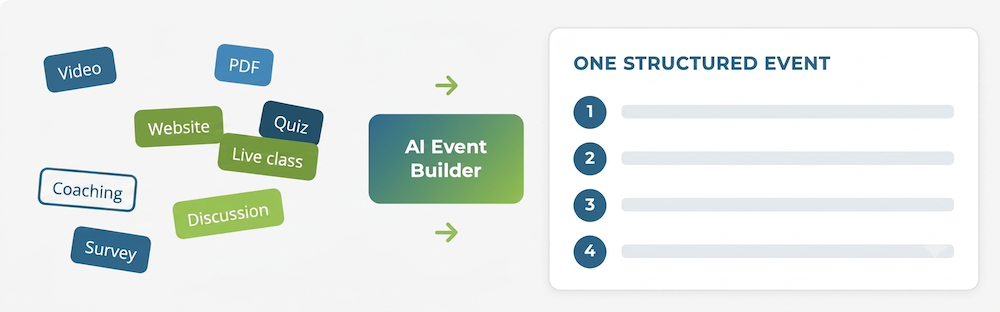
How AI Generated Workflows Change Learning Delivery
Speed without shortcuts
A structured, pedagogically sound event that would typically take hours to plan and configure is ready in seconds. Teams can prototype multiple approaches, compare them, and commit to the best one before any content has been touched.
Instructional quality built in
The Builder applies pedagogical rules that connect training to performance. It sequences units logically, selects activity types to serve the objectives, and places assessment at the right points. Sound design is the default, not the exception.
Consistency across the team
Quality stops depending on who happens to be doing the build. Every event starts from the same instructional foundation, whether it is being created by a seasoned designer or someone building their first programme.
Existing materials used properly
Content that already exists gets placed where it belongs, matched to the right unit and the right moment in the learner journey, rather than bolted on as an afterthought.
The words written, not just the structure
The Builder writes the copy as well as the architecture: the workflow title, the topic names and descriptions, and the title and rationale for every activity. Around eighty percent of the build arrives done, leaving the designer to polish the final twenty.
Live Training Included
Live training counts too. In-person and virtual classroom sessions can be included, ready for you to add the dates and timings. A normally separate activity, now managed in the same place as everything else.
Pre Populated Learner Interface
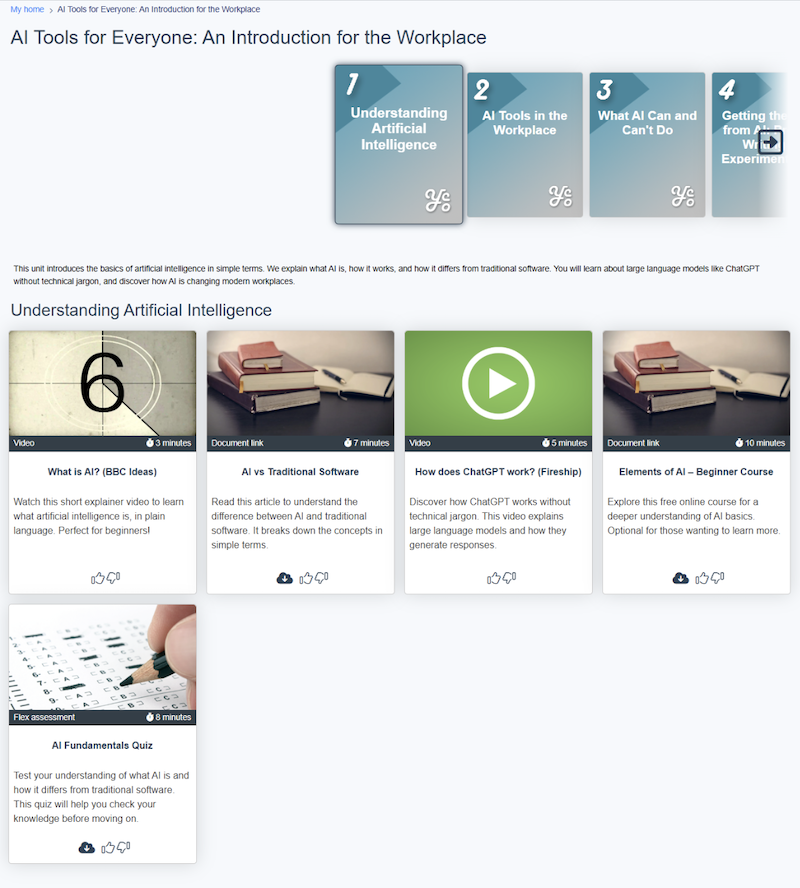
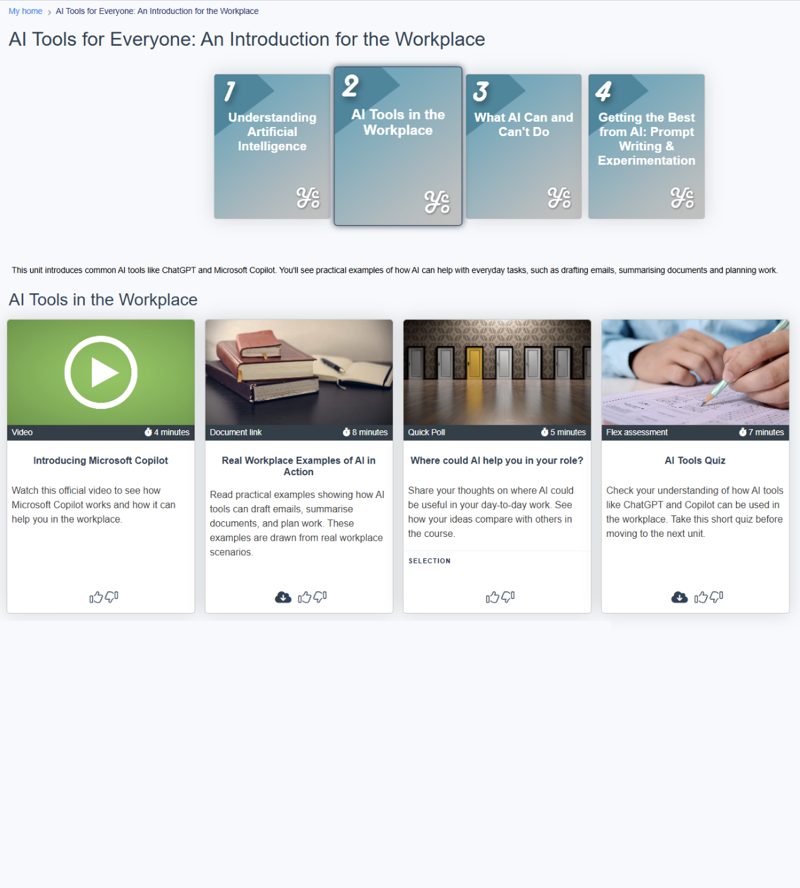
Example of the AI builder output for a learning workflow based on AI skills in the workplace. What the learner sees on their dashboard.
These four units came from a short topic brief on AI in the workplace. The Builder sequenced them and wrote every word: the event title, the topic descriptions, and each activity’s explanation. That is roughly eighty percent of the build; the designer reviews, edits, and adds the content.
The output is a template, not a locked document. Every element can be edited, reordered, or replaced.
Most course builds start with a blank page.
The AI Event Builder starts with a finished structure.
Find out How to Use AI Event Builder
The AI Event Builder is an AI-powered tool that turns an idea, and the scattered resources and activities you would use to teach it, into a single, structured, blended pathway.
Find out more about how you can use the vLearning AI Event Builder to set up Learning Workflows (Learning Journeys).