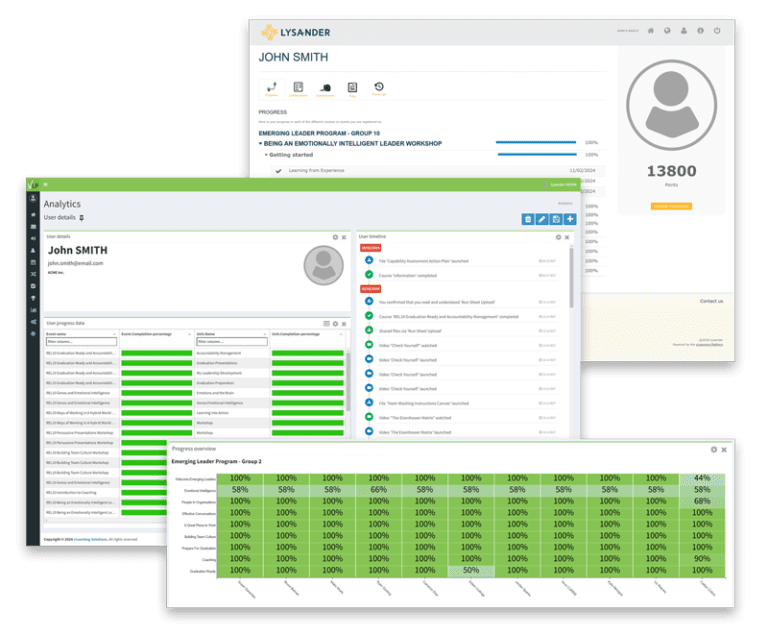
AI Event Builder

How to Set up Learning Workflows with the vLearning AI Event Builder

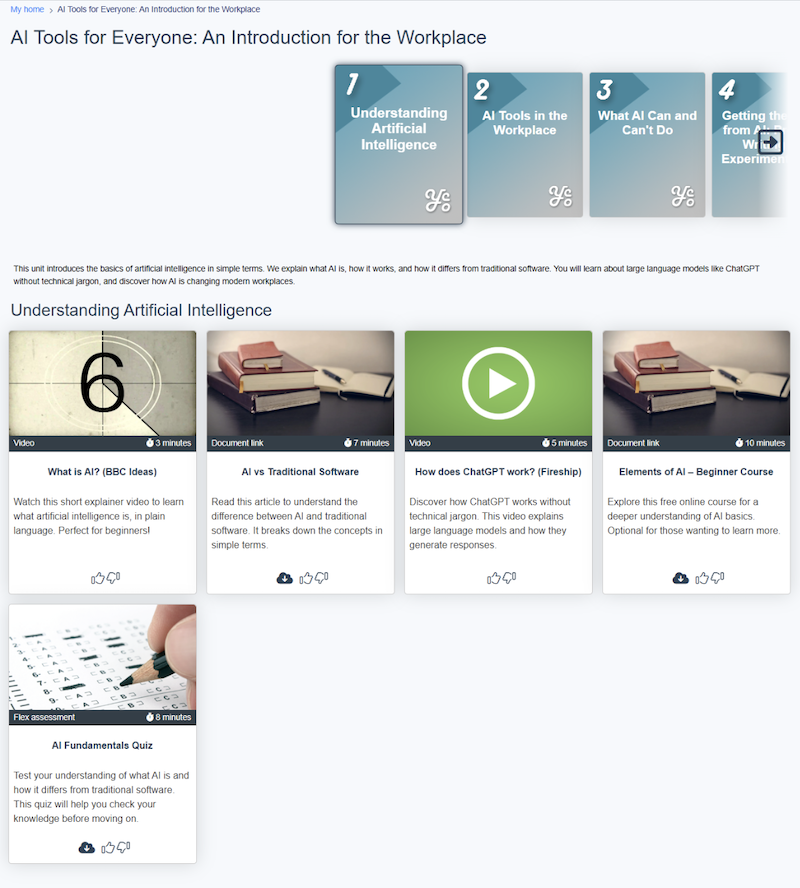
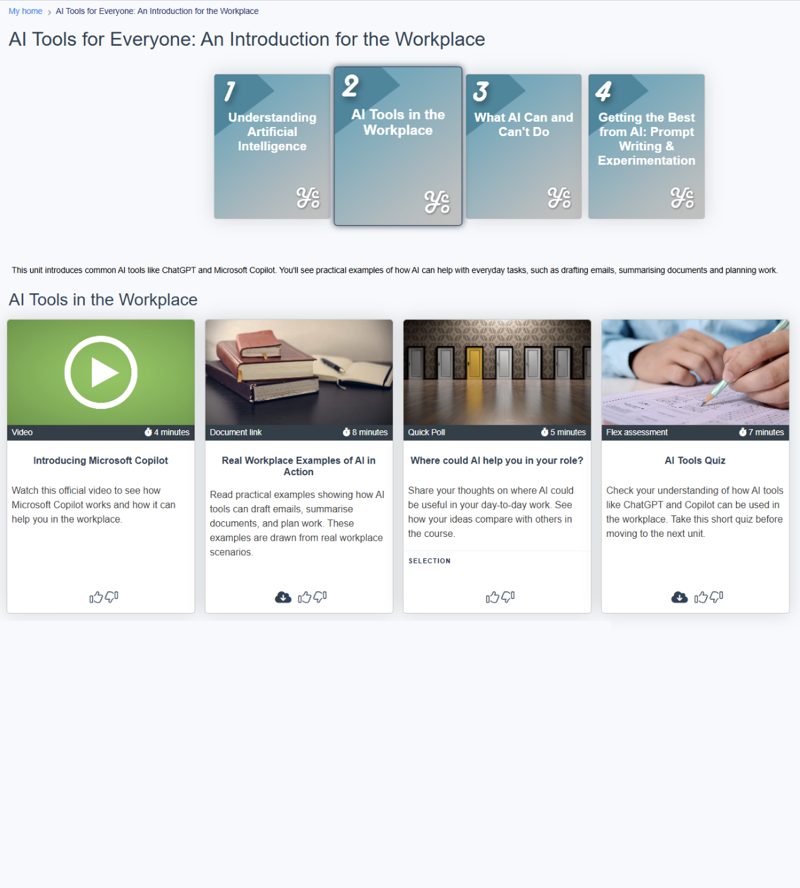
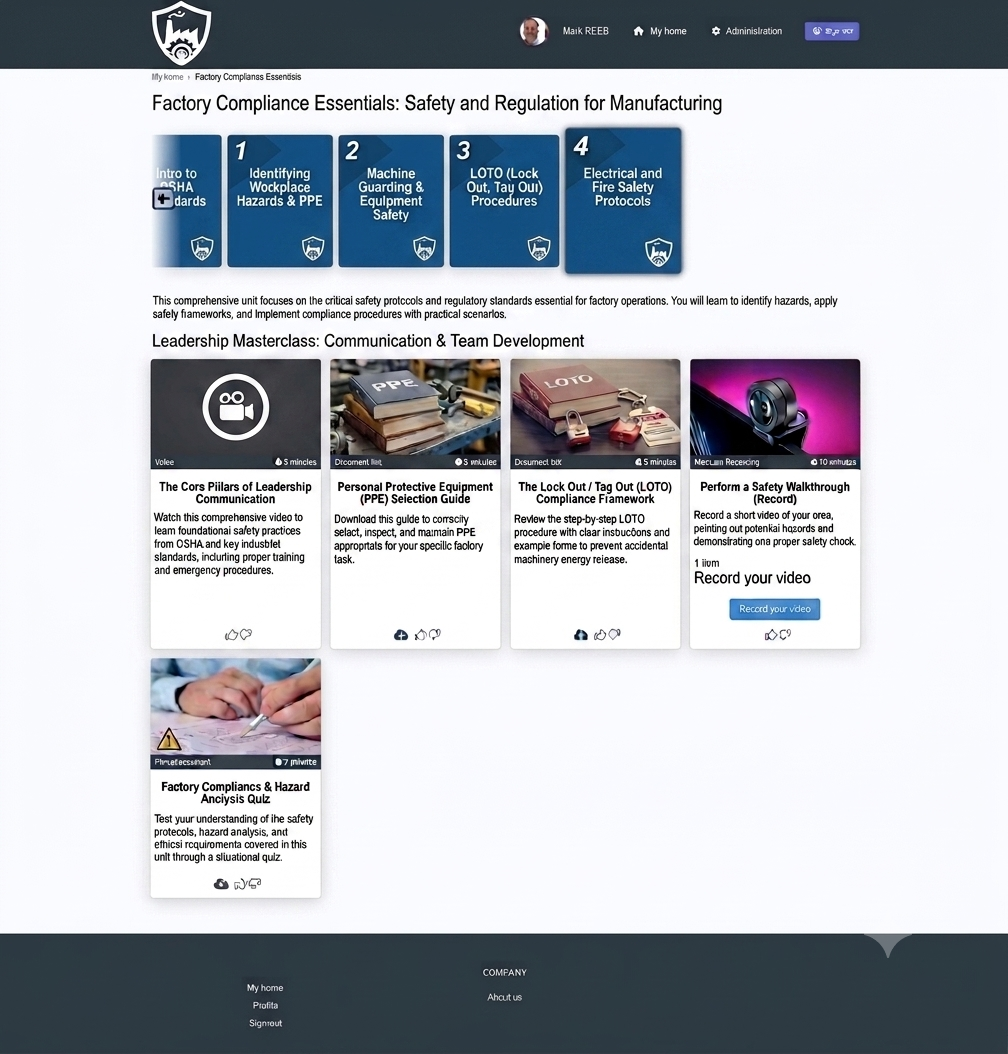
Screen shot of Learning workflow created by AI

A workflow to guide them on their Learning Journey

A fully structured learning workflow, generated from a brief

The AI Event Builder is an AI-powered tool that turns an idea, and the scattered resources and activities you would use to teach it, into a single, structured, blended pathway.

In the platform this is called a learning workflow.

menu for creating event using AI

Where To Find the Event Builder

From the Events list, open the Action menu and choose Create event using AI. That single click opens the Builder. No template to find, no blank event to set up first.
How To Set Up a Learning Workflow from an Idea

 The builder shapes a learning workflow from a short brief, in three steps….

1. Subject

Set the learning objectives and list the topics the event must cover.

2. Delivery

Set the parameters: self-paced or blended, the duration, the number of units, and the activity types to combine, from videos and documents to quizzes, discussions and live training.

3. Materials

List the activities and resources you already have, such as a coaching session, a document or a website. The Builder places each one where it belongs.

Click Save. Within seconds, the event is built.

Fully Integrated

Live training counts too. In-person and virtual classroom sessions are selected in Delivery and built as placeholders in the result, ready for you to add the dates and timings. A normally separate activity, now managed inside the workflow.

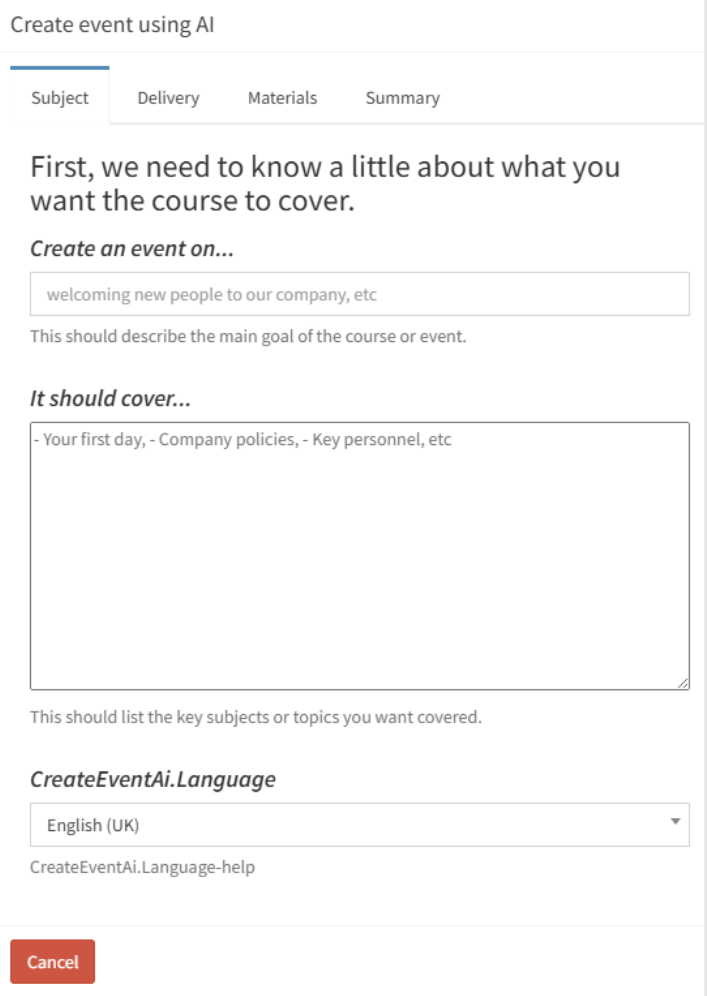
Create learning event using AI Form
Subject, Delivery and Materials are tabs in the Builder, with a Summary to review before you save.

From Template to Live Event: What happens next

The Builder creates the structure. The platform delivers the experience.

Once the generated template is reviewed, the designer uploads content into the placeholders, creates the assessments, quizzes, assignments, surveys and evaluations, and configures any interactive or evidence-based activities. The event is then published and tracked through the platform’s reporting and analytics.

The Finished Workflow

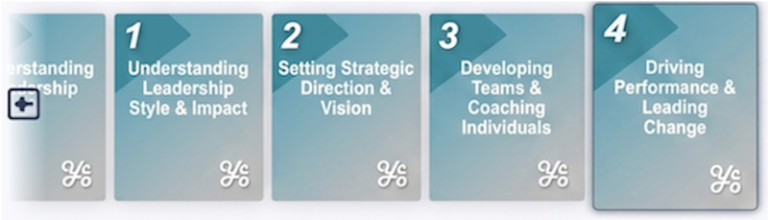
What you entered in the form becomes a sequenced pathway: one topic per milestone, with the right mix of activities grouped under each, ready for learners to work through in order.

Finished workflow topics diagram

The AI handles the architecture. The designer handles the craft.

Most course builds start with a blank page. The AI Event Builder starts with a finished structure. Take a look at the basics of what you can expect from the vLearning AI Event Builder or request a walkthrough and see it in action.

Unit 1 — Platform Interface -Understanding Artificial Intelligence
Platform Dashboard Unit 2 — AI Tools in the Workplace
Platform Dashboard Unit 3 — What AI Can and Can't Do
Platform Dashboard Unit 4 — Getting the Best from AI: Prompt Writing & Experimentation

Give your learners the vLearning experience