AI Nudge Emails for Learners

How to Set up and Use vLearning AI Nudge Emails

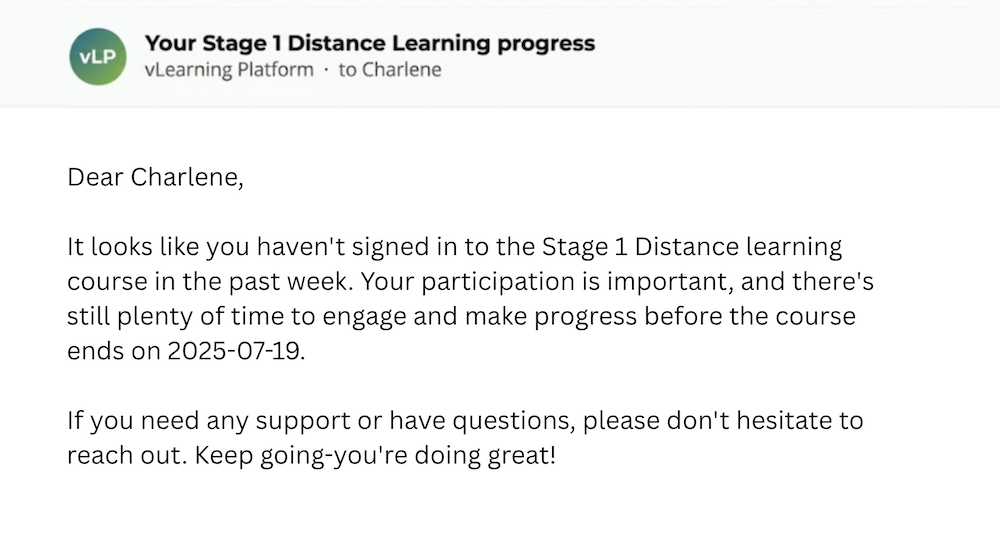
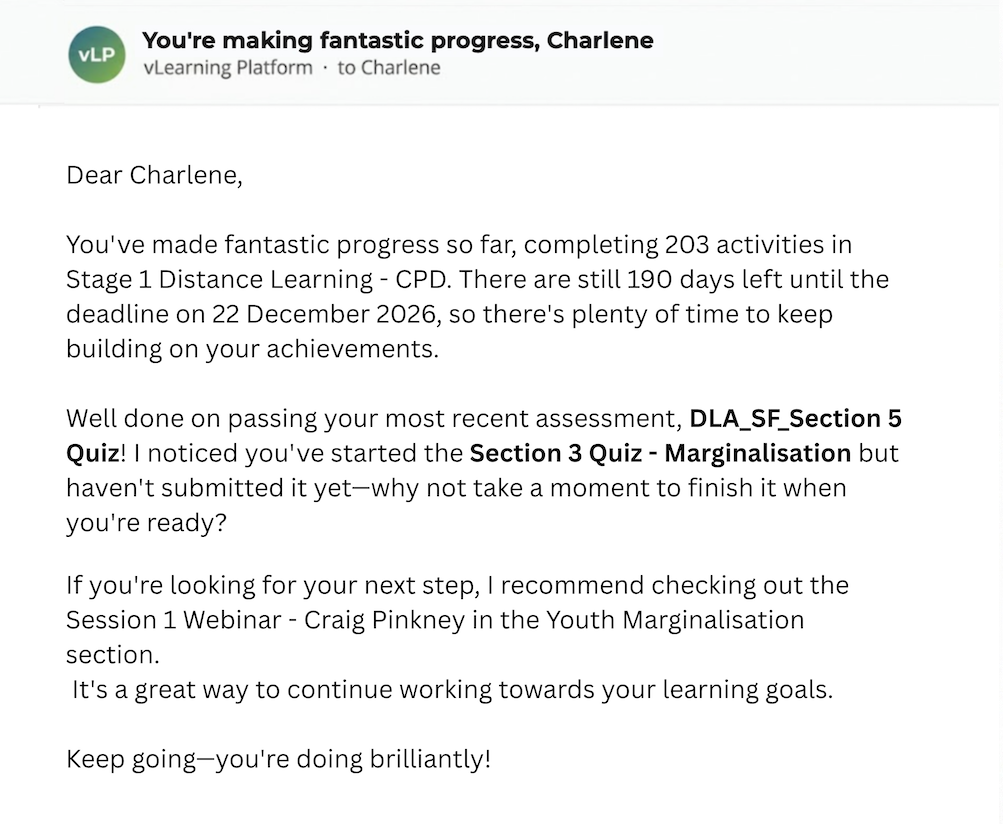
re-engagement nudge email for learners generated automatically based on engagement
automated learning progress email

What are AI nudge emails?

AI Nudge Emails turn a passive platform into an active learning partner, holding engagement across the whole event with no extra work for the admin.

What goes into each automated email?

To write each message, the AI draws on four things the platform already knows about that learner:

Learning Event structure

The running order of the event, so it knows what the learner has reached and what is next.

Learner Progress so far

How many activities are done, and what is still left to do before the deadline.

Recency of learner engagement

How recently they last signed in, so a quiet spell is handled gently rather than ignored.

Assessment performance

How they are scoring, so genuine achievements can be celebrated by name.

What lands in the learner's inbox?

Every email does one of two jobs, depending on where the learner is. Both are conversational, both name real detail from the learner’s own record, and both close on an encouraging note.

re-engagement nudge email for learners generated automatically based on engagement

Re-engaging quiet learners

When a participant has not signed in for a while, the email acknowledges it kindly, points to the deadline still ahead, and reassures them there is time to make progress.

automated learning progress email

Guiding active learners forward

When a participant is making progress, the email celebrates what they have done, names their latest result, flags anything unfinished, and recommends a sensible next step.
AI Nudge Emails turn a passive platform into an active learning partner, holding engagement across the whole event with no extra work for the admin.

Set it up in under a minute

AI Nudge Emails are configured inside the event settings. There is no separate tool to learn and nothing to schedule by hand. Once enabled, the platform handles the rest.

1. Click ´Edit´ in the learning event

Open the event you want to use, and go to Edit.

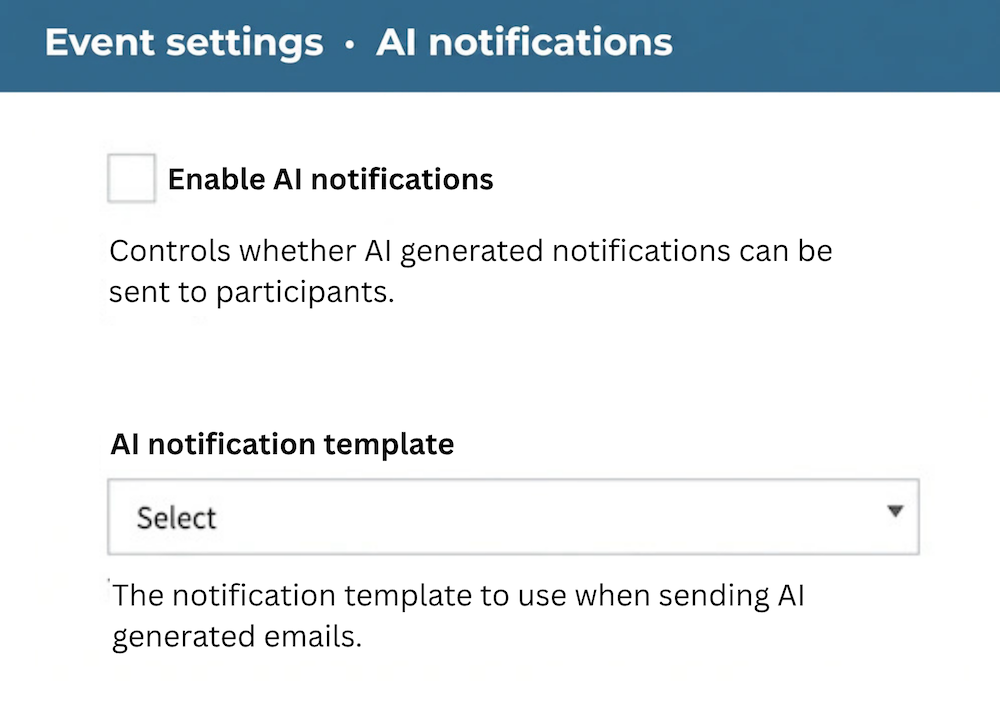
2. Click ´Enable AI Notifications´

Tick the Enable AI notifications box.

3. Choose your template

Choose a template from the AI notification template dropdown.

Set up AI notifications for learners screen shot of how to
The configuration fields, found under Edit on any event.

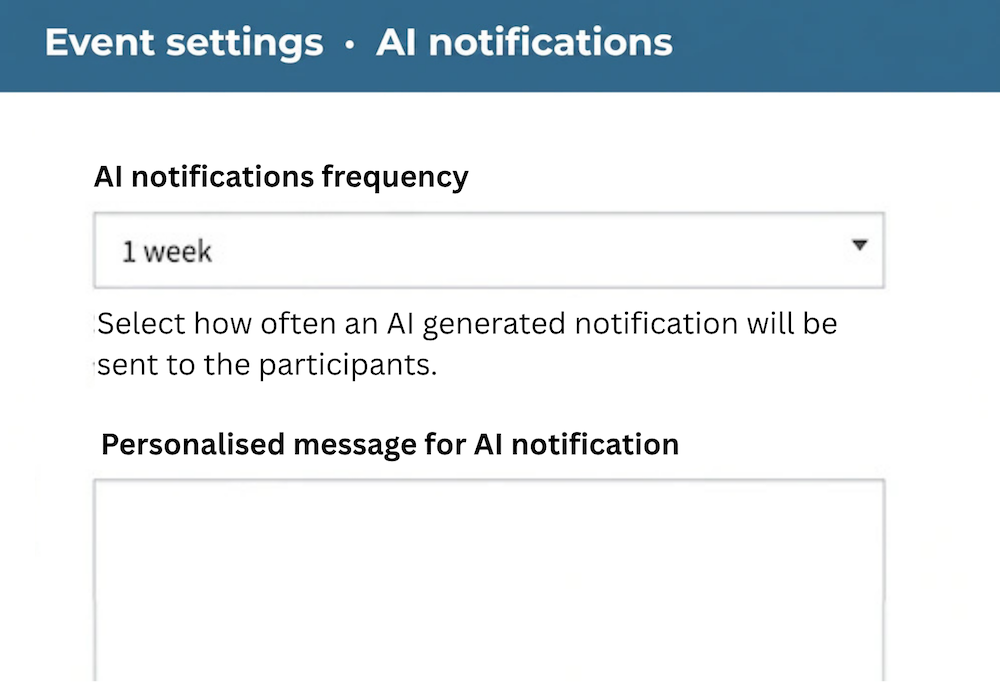
4. Set Frequency

Set the AI notifications frequency, for example every week.

5. Personalise

Optionally, add a line in the Personalised message field to append to every email, such as a seasonal greeting or a note from the course lead.

After setup, no manual writing, scheduling, or segmentation is required. The platform sends each learner their own email at the frequency you set.

Set up AI notifications for learners screen shot of how to select frequency and personalise

Why AI Nudge Emails Are Important for Learners

Completion is one of the most persistent challenges in digital learning. Learners start with good intentions, then drift when other priorities take over. The usual answers, manual chase emails or one-size-fits-all reminders, are either heavy on admin time or too generic to feel relevant.

Give your learners the vLearning experience