Boost Learner Engagement
With Integrated Tools and Automation

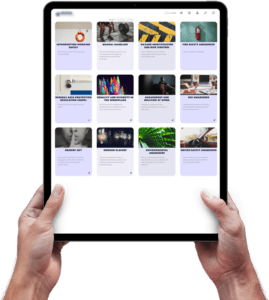
As a leader in Learning and Development, you’re always looking for innovative ways to enhance the learning experience for your team. Imagine a platform that keeps learners hooked with easy to navigate and visually stunning content, all perfectly aligned with your company’s branding. With the vLearning Platform, every interaction is designed to captivate – from the visually stimulating home page to the eye-catching, clickable components that make exploring content a breeze. Add a touch of gamification by hiding content until previous sections are completed, and you have a recipe for keeping users motivated and engaged like never before.
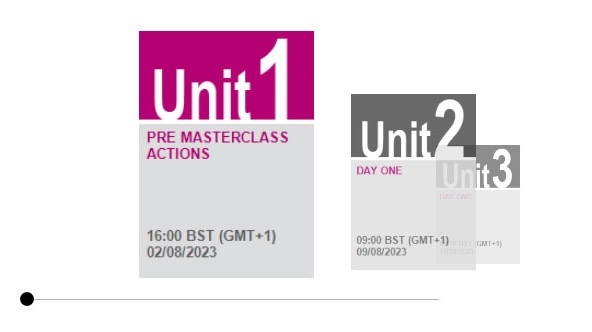

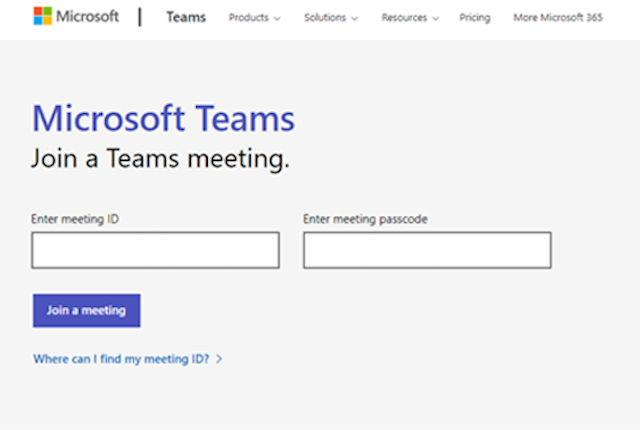
But that’s not all. The vLearning Platform also seamlessly integrates your web conferencing tools, automating learner reminders and calendar invites to ensure no one misses an event. Picture setting up an online session and having all the details magically appear in an automated welcome email, complete with a calendar invite link. On the day of the event, customisable reminders and a countdown timer keep everyone on track, transforming the entire process into a stress-free experience for both learners and facilitators.
Read on to discover ten keyways vLearning can revolutionise your approach to training and development, making it more engaging, efficient, and effective.
- Keep everyone hooked with easy-to-navigate and visually stunning content.
- Seamlessly integrate your web conferencing tools and automate learner reminders and calendar invites.
- Spark collaboration with dynamic forums for general and topic-specific discussions.
- Mix it up with diverse media content like PDFs and videos to keep learners engaged.
- Keep tabs on learning with fun and interactive quizzes.
- ‘Tag it’ so learners can find exactly what they need, right when they need it.
- Showcase learning progress with integrated assessment tools.
- Stay on top of learning by tracking text or video-based assignments.
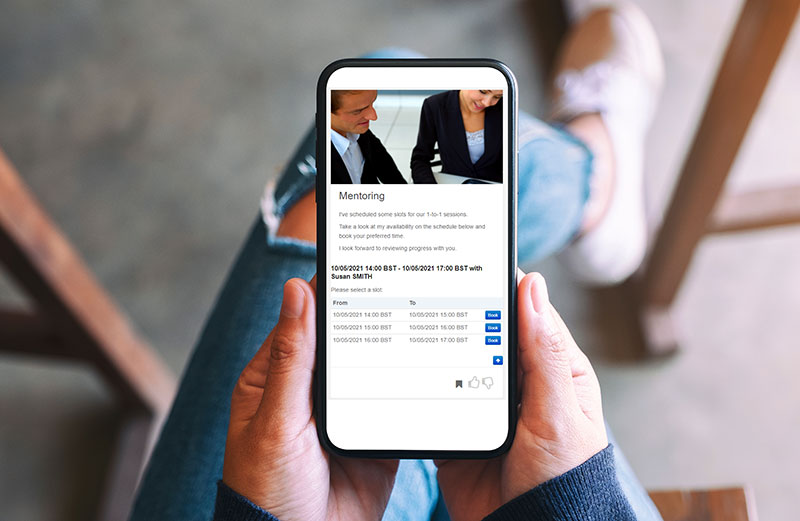
- Organise effortlessly by letting learners book coaching and mentoring sessions from available dates.
- Celebrate victories with automated certification tools that recognise achievements.
1. Keep everyone hooked with easy-to-navigate and visually stunning content.
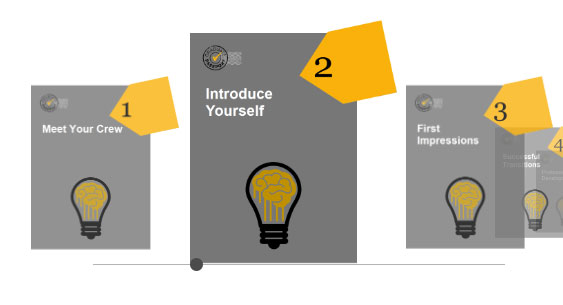
Visually engaging content is essential for grabbing and holding learner attention. With the vLearning Platform, you can effortlessly integrate visual elements that perfectly align with your company’s branding. From the very first glance at the Home Page, learners are greeted with a visually stimulating experience. Every event is artfully arranged using a carousel approach, making it easy for users to navigate and find what they’re interested in.
As they dive deeper, users encounter eye-catching, clickable components designed to make exploring and accessing content a breeze. You can also keep the suspense and excitement going by hiding content at the unit or component level, only revealing it once other sections are completed. This adds an element of gamification to the learning process, keeping users motivated and engaged.
With the vLearning Platform, creating an immersive and visually appealing learning journey has never been easier!
2. Seamlessly integrate your web conferencing tools and automate learner reminders and calendar invites.
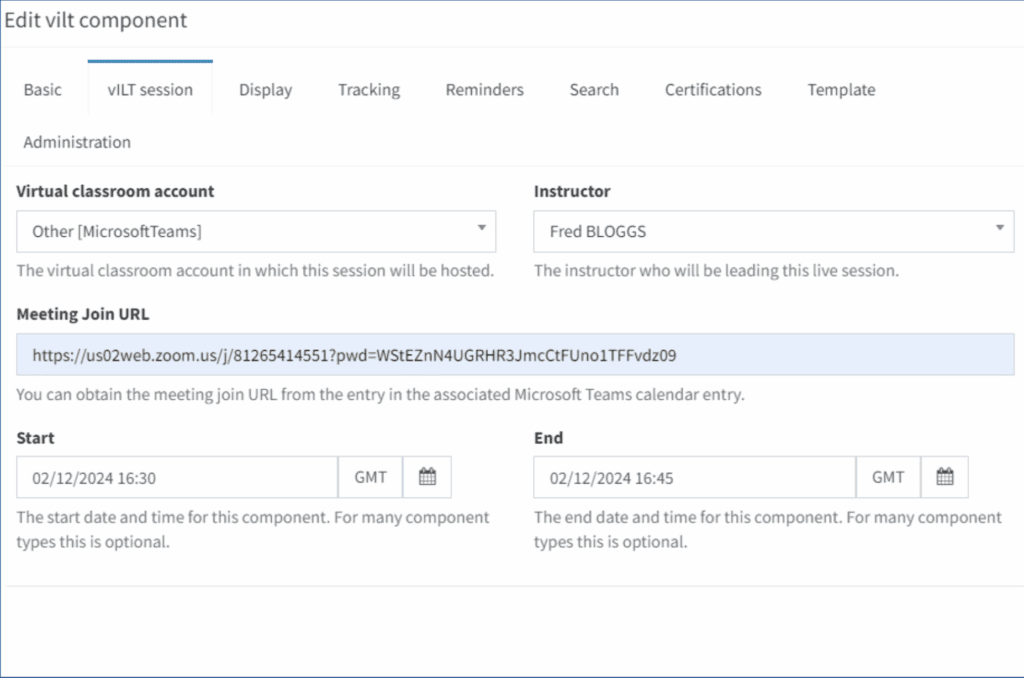
Flexibility and automation are game changers when it comes to integrating your web conferencing tools. Imagine setting up an online event on the vLearning Platform and having all the event details magically appear in the automated Welcome email, complete with a calendar invite link.
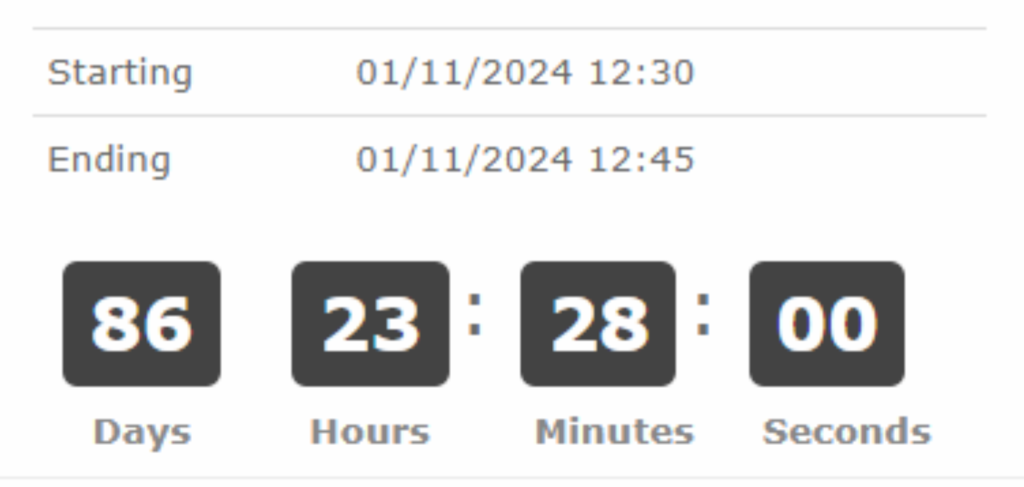
And that’s not all. On the day of the event, a series of customisable reminders ensure no one forgets to attend. Your event details are clearly visible on the carousel and within the online component which features a countdown timer that turns into a JOIN NOW button 15 minutes before the start. It’s seamless and stress-free for your learners.
For facilitators, this setup is a dream. No one can access the event until 15 minutes before the official start, giving ample time to set everything up. Plus, if any technical hiccups arise, you have that window to adjust the web conferencing link within the vLearning platform without disrupting users. This level of integration and automation not only makes life easier but also enhances the overall experience for both learners and facilitators.
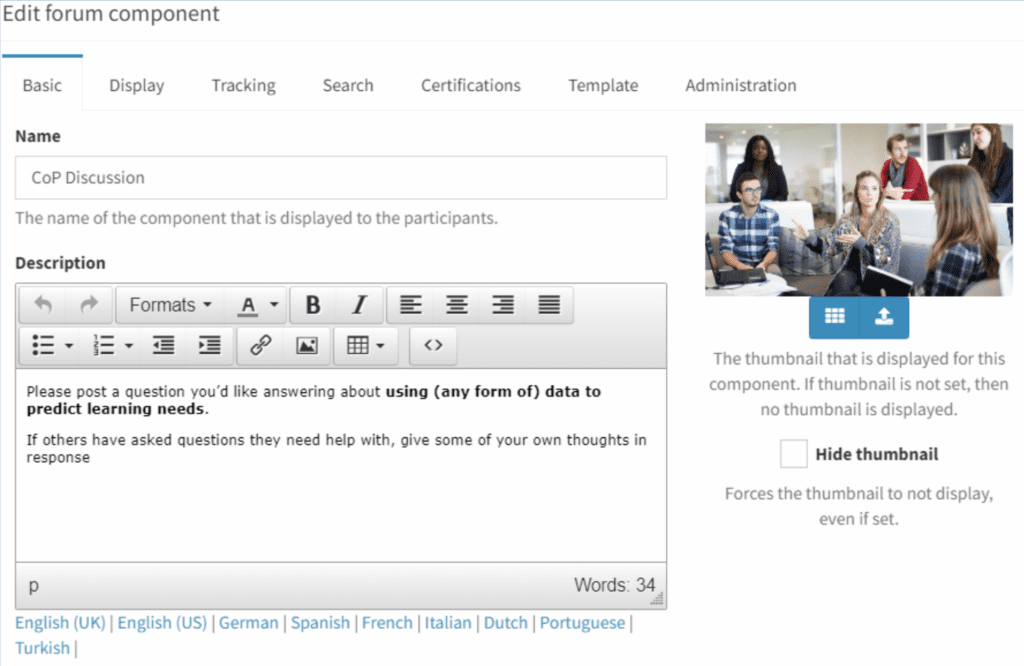
3. Spark collaboration with dynamic forums for general and topic-specific discussions.
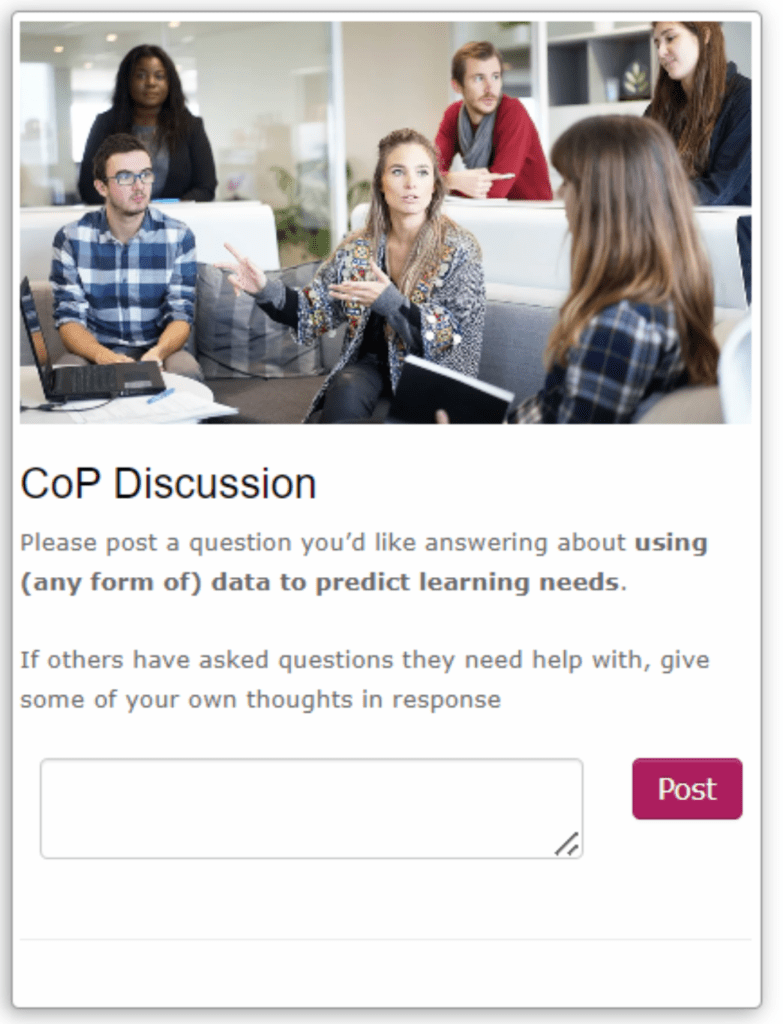
Discussion forums are a fantastic way to boost the learning experience. They bring people together, fostering collaboration and continuous learning while also providing instant feedback and support. It’s potentially like having a study group at your fingertips 24/7.
You can use a single discussion forum for a whole event or break it down into multiple forums for specific units or topics. This approach encourages more focused conversations and deeper reflections on particular subjects.
To really promote collaboration, post questions ahead of time to spark thought-provoking discussions before your next event. It’s a fantastic way to get everyone thinking and engaged, maximising collaboration, and learning for everyone involved.
4. Mix it up with diverse media content like PDFs and videos to keep learners engaged.
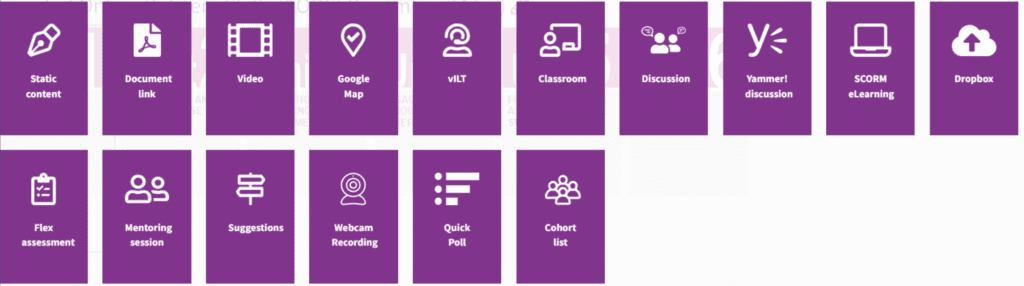
It’s crucial to treat learners as individuals, recognising that everyone learns differently, and that’s where the vLearning Platform comes in handy. You can mix and match the different tools available to you to deploy different learning strategies – consider just three examples:
- Videos are a fantastic way to bring learning to life! They’re not just engaging but also make tricky concepts easier to grasp. Imagine watching a video that turns a dull abstract idea into something tangible and understandable. Plus, videos can show real-world examples, making the learning process even more relatable.
- When it comes to documents, think beyond the usual text. Diagrams, checklists, mind maps, and charts help break down information, making it easier to digest and remember. These visual aids are perfect for embedding knowledge and ensuring learners truly understand the material.
- Let’s not forget about traditional e-learning. It might seem old-school, but it’s still a powerhouse for certain topics. E-learning offers flexibility, letting learners study at their own pace, and it’s cost-effective too. It’s a great way to complement a blended learning approach, combining different methods for a well-rounded educational experience.
By leveraging these tools on the vLearning Platform, you can cater to individual learning styles and make education a more personalised, effective, and enjoyable journey.
5. Keep tabs on learning with fun and interactive quizzes.
Quizzes aren’t just a way to evaluate knowledge—they’re a fantastic tool to actively engage learners, offer instant feedback, and solidify understanding through active recall and self-assessment. Plus, they can boost motivation, keep attention levels high, and help track progress and comprehension.
Using the vLearning platform, you can design quizzes to assess knowledge retention after each topic or at the end of the event. You have the freedom to make these quizzes optional or mandatory, depending on what works best for your goals.
Want to tie the quiz to an overall certification? You can do that! Prefer to leave it as a standalone knowledge check? That’s fine too. You can even decide whether to shuffle the questions, provide answers to incorrect responses, set a pass mark, prompt for a retake if the pass mark isn’t met, and limit the number of attempts.
The key is flexibility. Tailor your quizzes to fit the specific needs and objectives of your event.
6. ‘Tag it’ so learners can find exactly what they need, right when they need it.
Tagging content for learners aligns well with Charles Jennings’ 70:20:10 model (Quick recap: 70% of learning happens on the job, 20% through interactions with others, and 10% from formal education)
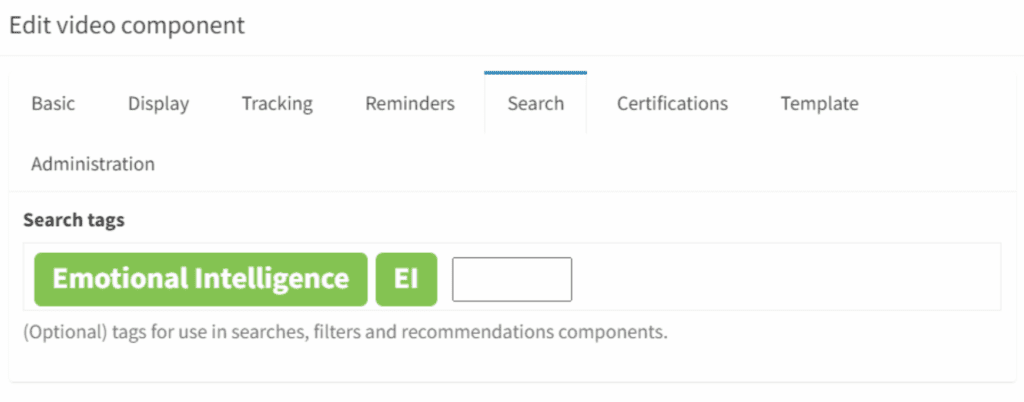
Tagging content means assigning keywords or labels to different pieces of information, like documents, articles, or videos. These tags help sort content based on topics, themes, or other criteria, making it easy for learners to find specific information quickly. Think of it like sticking labels on folders in a filing cabinet, you can find exactly what you need without rummaging through everything.
When you tag content effectively, you’re making it super easy for learners to discover and access valuable resources. This boosts on-the-job learning (the big 70%) by helping learners integrate new knowledge right into their daily work activities. It also enhances social learning (the 20%) by connecting people with resources shared by their peers. And not to forget the formal learning (the 10%); tagging keeps all that structured content organised and user-friendly.
7. Showcase learning progress with integrated assessment tools.
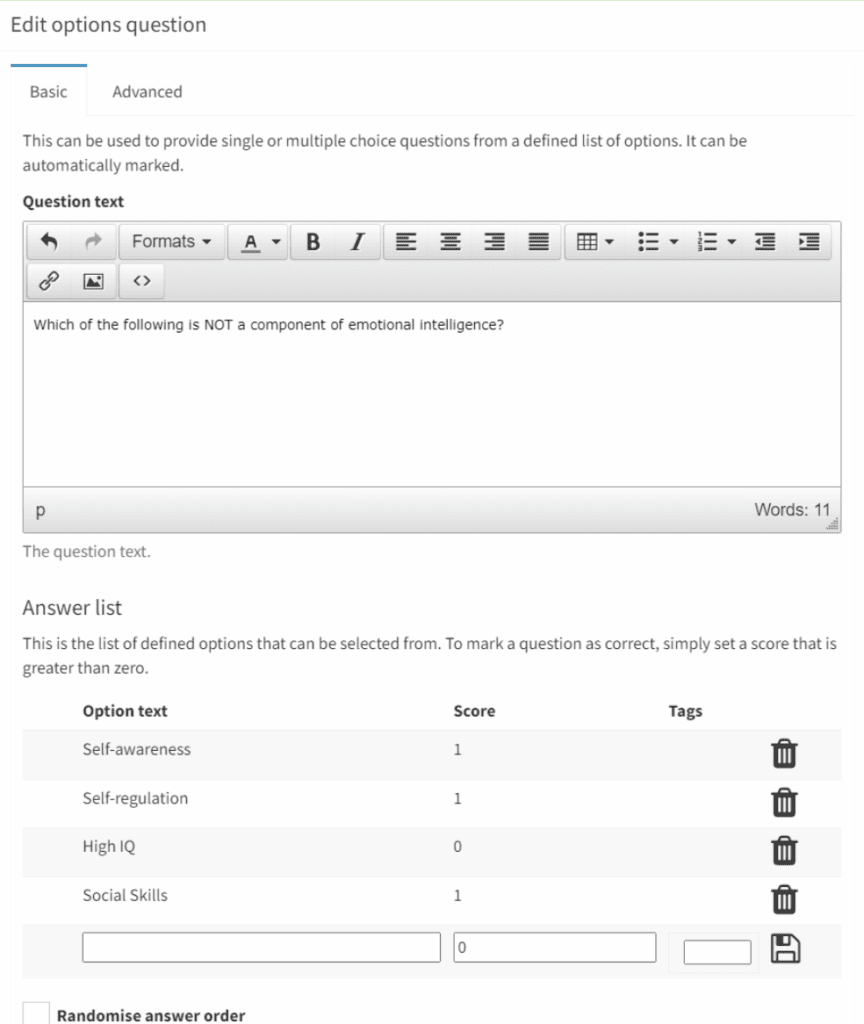
Assessments celebrate learners’ success and motivate them, but they also play a crucial role in ensuring ROI and evaluating training impact. They provide clear data on learning outcomes, highlight successes, and identify gaps. This feedback helps organisations refine training programs to meet objectives and deliver tangible business benefits. In short, assessments ensure you’re maximising your investment and seeing real training impact.
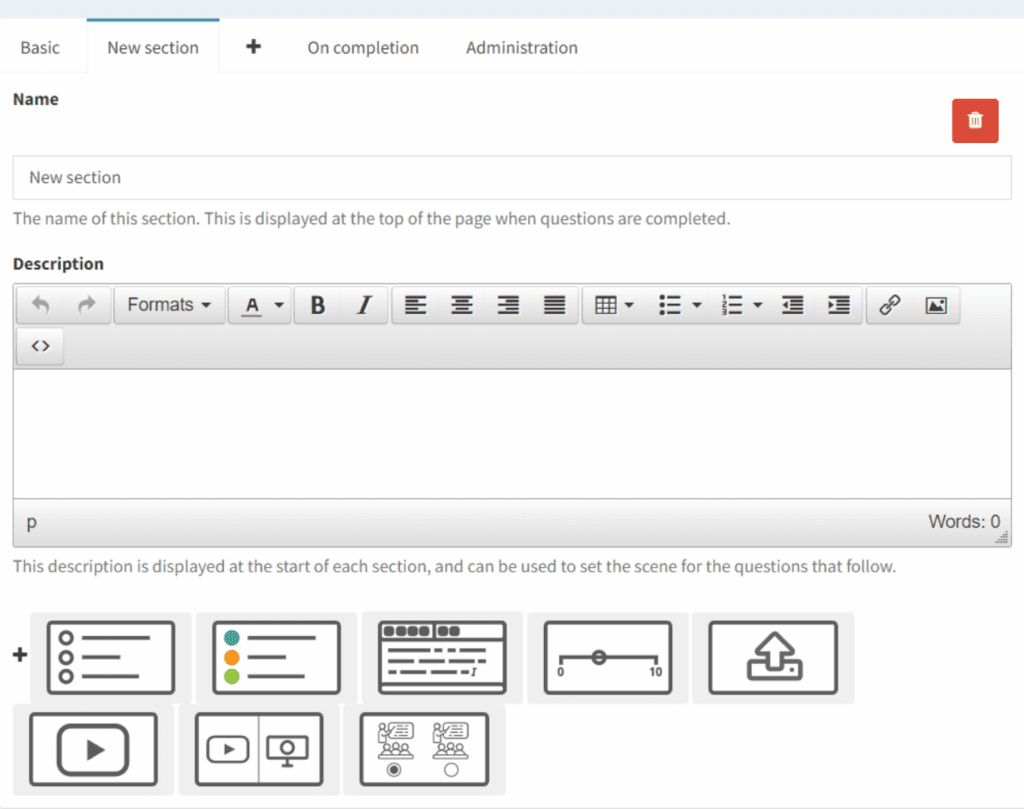
The vLearning approach gives you an incredibly versatile assessment engine. Assessments can be self-marking or manually graded and can use various media to keep things engaging. Mix in single and multiple-choice questions, free-text responses, sliding scales, or even text and video uploads. Other features enable you to:
- Tie the assessment to an overall certification.
- Leave it as a standalone assessment.
- Shuffle the questions.
- Provide answers to incorrect responses.
- Set a pass mark.
- Prompt for a retake if the pass mark isn’t met.
- Limit the number of attempts.
- Allow a cooling off period.
The key is flexibility. Tailor your assessments to fit the specific needs and objectives of your event, keeping the experience both engaging and effective.
8. Stay on top of learning by tracking text or video-based assignments.
Assignments throughout a blended learning intervention play a key role in reinforcing key learning points covered in sessions, ensuring users understand and retain the information. They provide opportunities for learners to apply concepts to theoretical situations, enhancing their understanding and ability to use knowledge in real-world contexts. Additionally, assignments encourage independent learning.
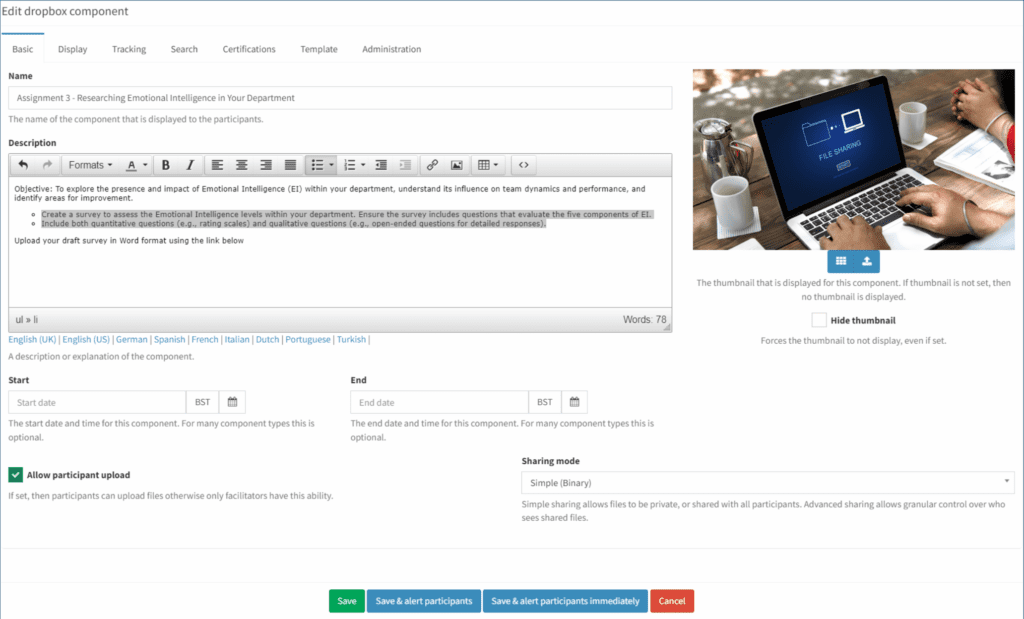
The vLearning approach allows for creativity in assignments by using the Drop Box component within the event. Assignments can be posed through the Drop Box, with learners submitting their answers as text (Word/PDF) or video (MP4) responses. This method enhances engagement and provides diverse ways to demonstrate understanding.
9.Organise effortlessly by letting learners book coaching and mentoring sessions from available dates.
Imagine providing a personal guide on your learning journeys and, that’s exactly what coaching and mentoring sessions bring to a blended learning setup. They offer that personalised support your learners need, aiding engagement and providing real-time feedback.
These sessions are all about helping learners to build those essential skills by showing how to apply what has been learned in real life and boosting confidence and providing accountability.
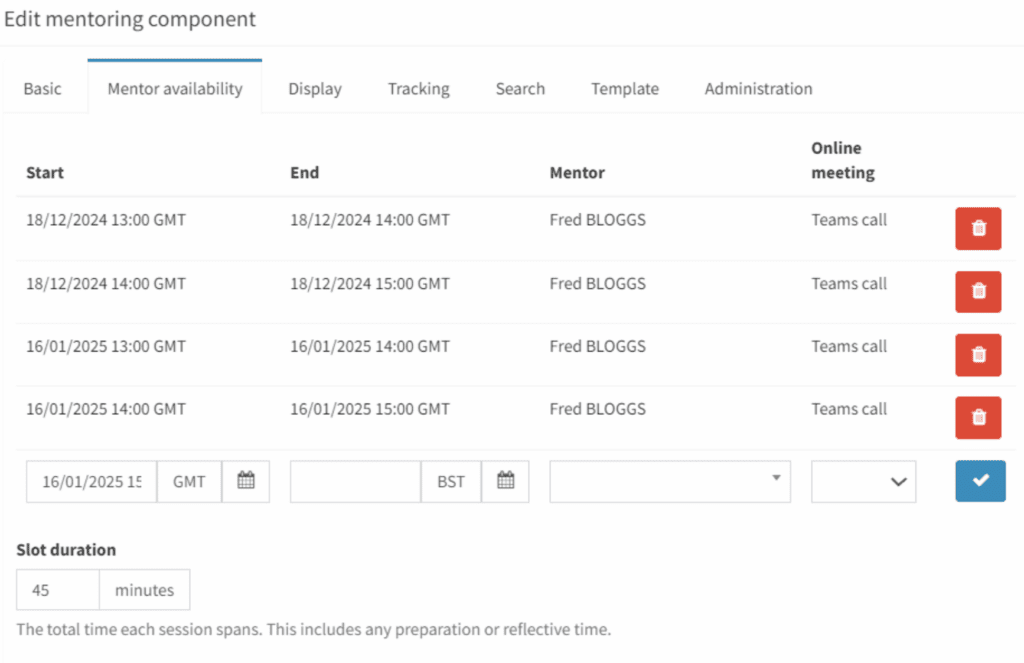
Within vLearning allow learners to schedule their coaching and mentoring sessions using the ‘Mentoring Session’ component which provides a list of available dates and times and automates the confirmation emails.
This component can also be utilised to offer ‘Help Sessions’ or ‘Surgery Events’
10. Celebrate victories with automated certification tools that recognise achievements.
Providing a certificate after learning not only celebrates success but also validates the individual’s achievements, enhancing their credibility. This tangible recognition motivates learners, setting clear goals and boosting their sense of accomplishment.
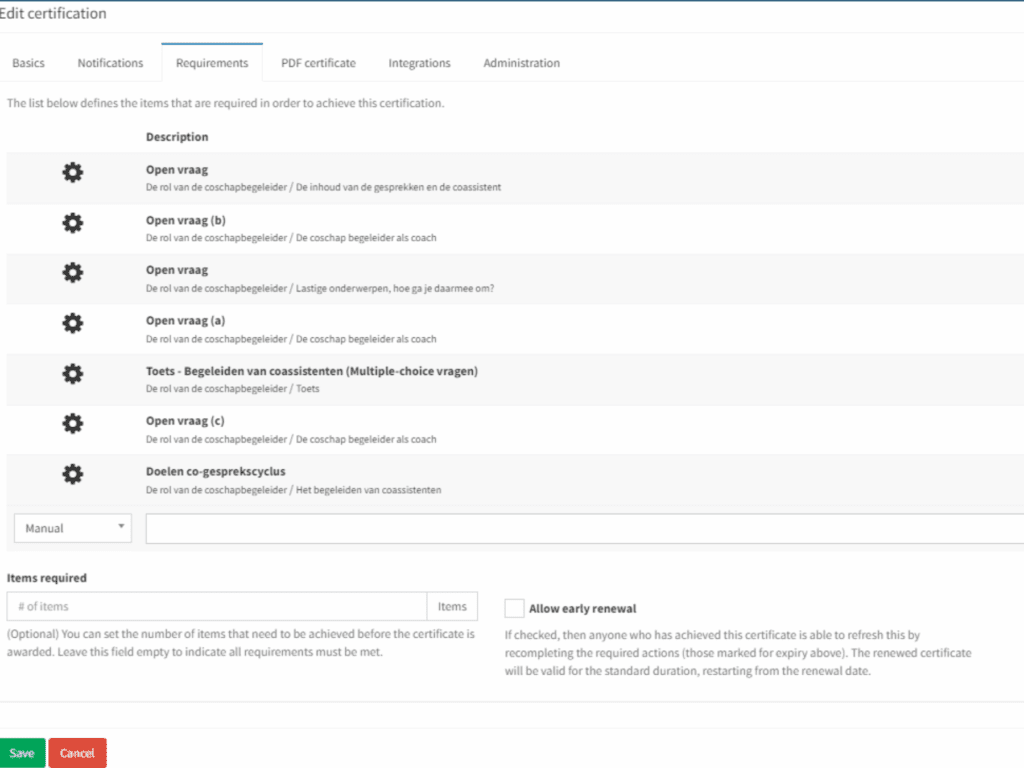
Within vLearning automate your Certificate process. Decide what components within the learning journey are mandatory to complete – this may include attendance at specific virtual or classroom events, viewing particular content, or completing nominated assignments, quizzes or assessments. Once these parameters are set, a certificate is automatically issued when a learner achieves all the required components, accompanied by a customisable celebratory email.
The flexibility of the certification functionality allows you to determine if the certificate has an expiry date, with various options and automated email reminders for re-certification.
Summary
Discover the Future of Learning with vLearning Platform! Our comprehensive suite of tools enhances the learning experience through automation, visual engagement, and flexibility. Key features include:
- Diverse media content for various learning styles/strategies
- Seamless integration with web conferencing tools
- Dynamic discussion forums
- Automated certification processes
These functionalities motivate learners, facilitate collaboration, and ensure efficient tracking and assessment of learning progress.
Schedule a free demo today to see how we can power your success and unlock the full potential of your team!
X
LinkedIn